
Month: December 2022

How to Keep Your Poinsettia Looking Its Best Through the Holidays

Poinsettia

Poinsettias are a favorite holiday plant to give and receive, but they can present a bit of a challenge – and perhaps some frustration – as you watch this beautiful plant decline each day.

If it makes you feel any better, you are not alone. I receive calls, e-mails and letters from other gardeners lamenting the decline of their once beautiful poinsettia.

Turn Your Black Thumb Green Again with a Bit of Proper Care

First, always select a quality plant from a reliable source. You may pay a bit more but you will greatly increase your chance of success. Poinsettias left sitting in a cold truck overnight or on a loading dock exposed to cold temperatures for several hours are doomed to die.

Purchase a plant with deep green leaves and colorful bracts, the leaf-like structures we call flowers. Avoid plants with brown leaf edges that indicate the plant may have been over- or under-watered.

You also need to provide proper care when transporting any plant you purchase. Make sure the plant is wrapped in plastic or paper before exposing it to cold temperatures. Never leave it sitting in a cold car as you run errands or shop. Chilled plants appear fine until the next day when the leaves turn a gray-green then slowly yellow and drop.

Remove the protective plastic or paper sleeve as soon as you have them in a warm location. When the poinsettia leaves are bent the plant releases ethylene. This growth hormone speeds maturing and shortens the bloom time. Set the sleeve aside if you plan on transporting the plant to give as a gift to a family member or friend.

How to Grow and Nurture Your Poinsettia

Grow your poinsettia in a cool, bright location away from drafts of hot or cold air. Water thoroughly and often enough to keep the soil slightly moist but not wet. You’ll enjoy the beauty of your plant longer when you grow it in these conditions. Bend the decorative foil edges down so light can reach all the leaves.

Next punch holes in the foil for proper drainage, or place a few pebbles in the bottom of the foil or on the saucer. I find overwatering is the biggest cause of death. The first thing I do when examining a struggling plant is lift it out of the foil or decorative container. You should do the same.

I often find the plant sitting in an inch or more of water. Using pebbles to elevate the pot above this excess drain water will improve your plant’s health and eliminate time spent pouring this water down the drain.

And don’t give up if your plant has lost some leaves. Adjust your care and fill those voids with a bit of holiday décor. Or use them as cut flowers. Cut the stem to the desired length. Remove the lowest leaves that would be submerged in water, then set the poinsettia cutting in a pretty vase filled with fresh water. Display them alone or add a few greens, berry-laden branches and other items to create a poinsettia arrangement.

What to Do with Your Poinsettia After the Holidays

After the holidays, move your poinsettia plant to a sunny window. Continue to water thoroughly whenever the top few inches of potting mix are just starting to dry. Fertilize with a dilute solution of any flowering houseplant fertilizer.

Get out the pruners and cut the plant back to 6 to 8 inches in mid March. This encourages new branches to form for a fuller, more compact growth. You can move your plant outdoors for summer after the danger of frost has passed or keep it growing indoors in a sunny window.

Bring your poinsettia back indoors in late summer or early fall as the temperatures begin to cool. Place it in a sunny window and water thoroughly as needed.

Adventuresome gardeners may want to try forcing their plants to bloom again for Christmas. Starting October 1st, give your plants 14 hours of total darkness each night and bright light during the day. Move them to a cooler location (60-65°) and keep the soil slightly dry to encourage flowering. Each missed dark treatment delays flowering by one day. That’s okay, poinsettias make a great Valentine’s plant as well!

You can stop the dark treatments once the bracts (colorful leaves) are fully colored. And don’t worry if the plant does not color up in time for Christmas – just add some silk poinsettia blooms and enjoy the fact you kept the plant growing throughout the year. The goal is to have fun as you exercise your green thumb.

Let’s Have a Conversation:

Do you always buy a poinsettia at the holidays? What color do you choose? Do you have a green thumb or do plants hide from you? What other kind of holiday plants do you buy? We encourage you to share your tips and suggestions.

Read More

Lisa Barlow’s Embellished Jeans

Lisa Barlow’s Embellished Jeans in San Diego

Real Housewives of Salt Lake City Season 3 Episode 10 Fashion

On this week’s episode of The Real Housewives of Salt Lake City Lisa Barlow wears these amazing embellished jeans to the luau dinner in San Diego. And although they’re unfortunately sold out, we’ve linked some glittering Style Stealers for ya down below that are still totally lu-wow. 


Fashionably,

Faryn


Lisa Barlow's Embellished Jeans 1

Click Here to See Her Germanier Jeans

Originally posted at: Lisa Barlow’s Embellished Jeans

Read More

Meredith Marks’ Black Metallic Cover Up Bikini and Cat Eye Sunglasses

Meredith Marks’ Black Metallic Cover Up Bikini and Cat Eye Sunglasses in San Diego

Real Housewives of Salt Lake City Season 3 Episode 10 Fashion

I agree with Meredith Marks’ daughter Chloe, she looks too good to be in water with her black metallic cover up, bikini and cat eye sunglasses during the San Diego yacht day. All of which we’ve linked down below, so on your next vacay you too can get ready to make a (figurative) splash.


Fashionably,

Faryn


Meredith Marks’ Black Metallic Cover Up Bikini and Cat Eye Sunglasses

Click Here to Shop Her Aidan Mattox Dress on Sale

Click Here to Shop Her Balmain Bikini on Sale

Click Here to Shop Her Tom Ford Sunglasses on eBay

Originally posted at: Meredith Marks’ Black Metallic Cover Up Bikini and Cat Eye Sunglasses

Read More

Shoppers Say This Detangling Brush Instantly Makes Their Hair ‘So Soft’—& It’s on Sale For $12

Whether you have thick or thin hair, knots always manage to show up at the worst times. Tangles are normal, but they sure are a pain to straighten out. There’s so much tugging and oftentimes you’ll find huge chunks of hair left in your brush. You might even break your paddle if your hair really isn’t having it that day. Thank goodness there’s a $9 solution that you can add to your cart right this second.

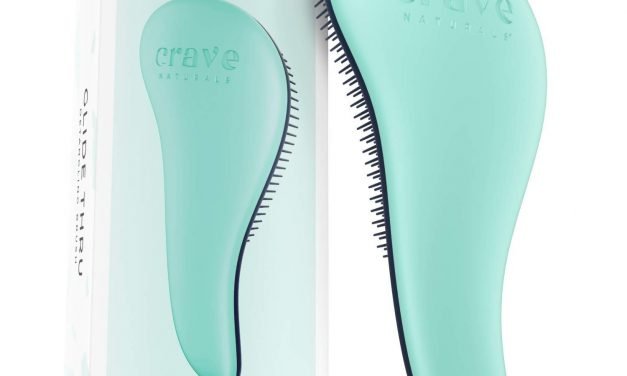
Crave Naturals’ Glide Thru Detangling Brush does a number for your knots. It has innovative cone-shaped plastic bristles that can untangle even the most stubborn strands without ripping out your hair. We’re already sold, but to sweeten the deal, the brush is on sale for just $12 on Amazon.

It’s gentle on both wet and dry hair, and its pain-free bristles gently massage your scalp and increase circulation. Having a quality brush that doesn’t yank your hair is important for hair growth and shine. So you know your hair will look healthier than ever after combing it with Crave Naturals’ detangling brush.

“If you hate brushing out knots, this is the hair brush for you,” wrote one reviewer. “It’s gentle, easy to hold and SUPER effective at getting out tangles. Love it!”

This shopper isn’t the only one who adores this life-saver; it has over 47,000 perfect five-star ratings on Amazon. Stop scraping heaps of hair out of your current brush and get on board with this pain-free detangling brush that’s on sale right now.

RELATED: Jennifer Aniston’s Volume-Building Brush That Prevents Breakage Is Down to $7 on Amazon—For Now


Crave Naturals Glide Thru Detangling Brush Amazon

Courtesy of Crave Naturals.

If you’ve ever used a brush that has beads at the ends of the bristles, then you’ve definitely noticed how it can hurt your scalp and tug hard on your hair, without ever actually unraveling the knots. Thankfully, Glide Thru’s bristles are firm, never losing shape, but still extra gentle on your hair. It separates your strands sideways instead of downwards, which is great because the last thing you want is damaged or broken hair caused by too much yanking.

“The instant I used this, it made my hair so soft and completely brushed out,” wrote one shopper. “It helped smooth my hair and keep frizz down. It’s really nice to use on wet or dry hair. I’m really glad I bought this!”

If you’re wondering whether this detangling brush will work with your hair type and texture, it’s an all-around yes. Comb through your straight, curly, natural, thin, thick, kinky, coily or frizzy hair. You can even use it on extensions and wigs.

“I’ve purchased two of these brushes now, one for home and one for keeping in my ‘go bag,’” wrote another reviewer. “I have long, curly hair that goes all the way down to my butt and this brush is the only brush I’ve ever used that effectively detangles my hair without just breaking and tearing it apart. I highly recommend this brush for anyone with long and/or curly hair.”

It’s easy to see why over 47,000 other shoppers have also rated it five stars and deem it a must-have in their beauty routines. Do your scalp and hair a favor by getting this gentle but effective detangling brush that’ll leave your hair smooth and shiny.

STYLECASTER | Ashley Benson Interview

Read More

Creating Tangible Memories: Make a Photo Album in 5 Simple Steps

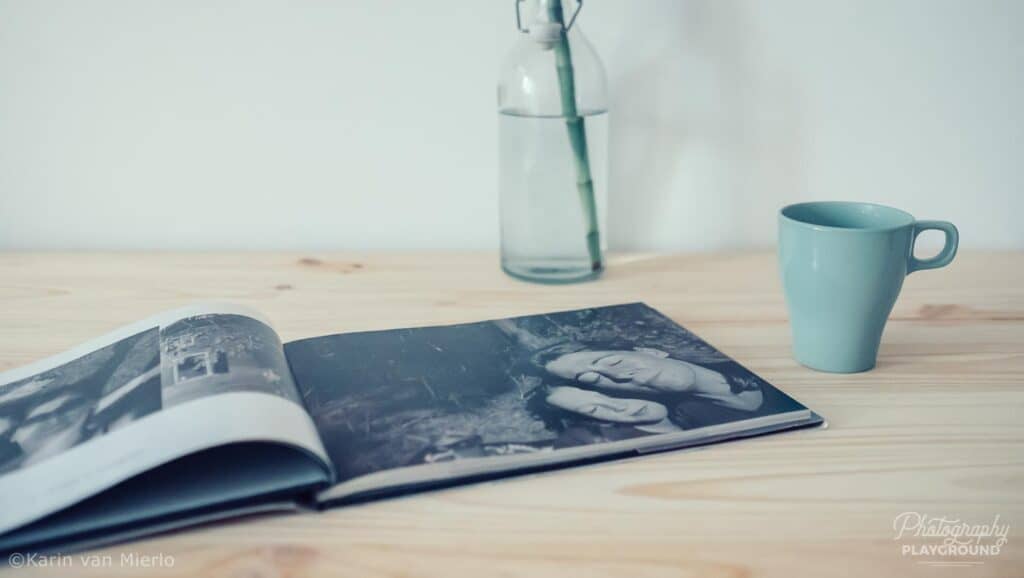
making a photo book

In this digital day and age, we seem to be printing fewer and fewer photos because they are ‘safely’ tucked away on our computers. I think that’s a pity because there’s nothing like the tactile experience of holding a photo in our hands.

This feeling is multiplied when you collect a lot of photos and have them printed in a photo album. 

Spending time on making a photo album is valuable in several ways and the lovely tactile experience is only one of them.

Having your photos printed is also a good way to protect them from crashing hard drives or stolen phones. 

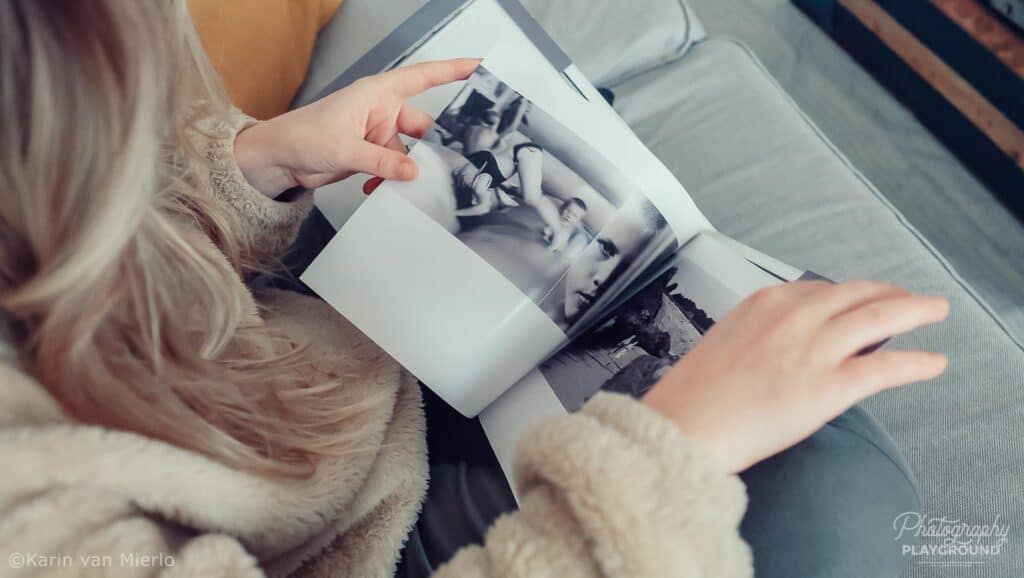
But maybe the best reason is sitting on the couch with the people you love, flipping through a photo album, and being transported back in time together.

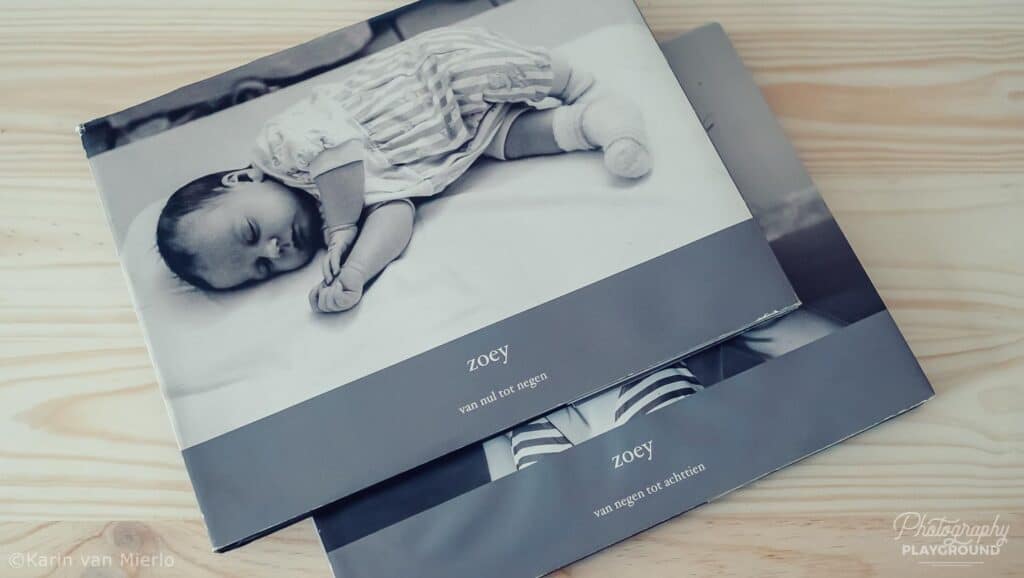
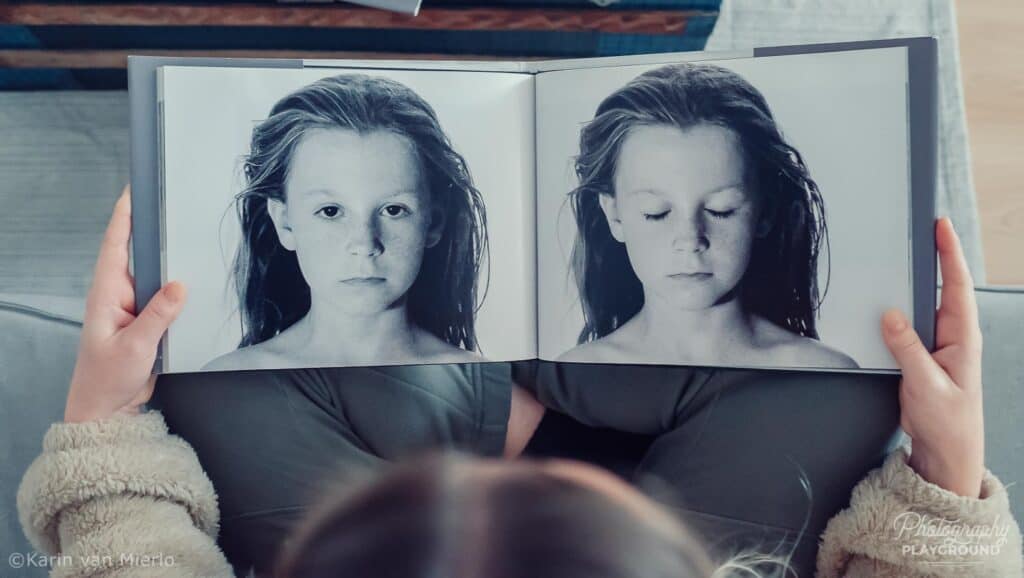
When my daughter turned 18, I made two photo albums for her that told the little and the big stories of the first 18 years of her life. From time to time, she takes out the album to share her childhood with her friends or to have a look for herself and enjoy those days of her life again.

making a photo album

Making a photo album on the computer can feel a little overwhelming but this article will walk you through it in 5 easy steps. 

So let’s get you started!

Get Organized

This is probably the most tedious and time-consuming element of making a photo album. But when you prepare well and have organized all the photos you want to include in your album the rest will be a breeze.

Of course, it depends on the subject of your album how tedious and time-consuming it will be. For instance, if you want to make an album from a trip you took, it will be easier because you just need to go through the photos of that trip.

But if it’s an album about a period of your life or let’s say the first year of your very first grandkid, it will take more time. Because you might need to collect photos from different people, cameras, and devices.

getting organized

Make sure the file sizes of your photos are large enough to print. 

Once you have collected all the photos, it’s best to put them in a folder so you have quick and easy access to them. If you want to get really granular you can create subfolders on month, week, or location.

Especially if you’re making an album with a lot of photos stretching over a longer period this will be very helpful in finding specific photos once you’re putting the album together.

Now that you have done this you can move on to the next step.

Choose Your Album 

There are a lot of providers offering photo albums. It’s easy to get flustered when you try to compare them and make the best decision. 

It has been my experience that spending a little more money pays off in better quality. 

These are precious memories, otherwise you wouldn’t go through the trouble of making an album. Usually, the slightly more expensive vendors offer better quality in terms of the prints themselves but also in the quality of the album and the bookbinding techniques they use. 

Most vendors offer more or less the same variety of albums. 

You can choose between a square, landscape, or portrait format. I prefer a landscape album because there seem to be more interesting options in the layout of the pages. 

The second thing you need to decide is how the album is made. Do you want a softcover or a hardcover album? I would recommend a hardcover because it’s more durable and sustainable than a softcover.

layflat design

And you can also decide to go for a layflat album. It’s more expensive but the upside is that when you flip through the album the pages are flat. There’s no fold in the middle like in a regular album. The other difference is that the pages are thicker than regular pages. 

The benefit of a layflat album is that you can print a photo over the two pages and it will still look really nice. In a regular album, you can do that as well but the fold in the middle will divide the photo.

Fill Your Pages

So, now you have your files organized, and you have the album all picked out. It’s time to upload your pictures. 

This procedure depends on the vendor, of course, and the software they use. Quite often there will be an option to take a tour first. I’d suggest you take the tour so you know your way around.

You can upload all your photos at once but when you’ve made different subfolders it’s more structured to start with your first subfolder and work your way through all the other subfolders.

There will be an option to let the album software fill your pages but where’s the fun in that. Also, the software has no idea which photos look nice together or belong together.

So you’re gonna do that yourself.

fill your pages

I always like to let my photos play the leading role and keep my design simple. 

If you like the minimalist approach as well, select a few different page layouts and stick to those. Pick a background colour for the entire album, preferably a neutral colour like white.

Don’t overcrowd your pages, 1 to 4 photos per page work best. 

You’ll need:

  • a layout for a full-spread (1 picture on the entire page) 
  • a layout for 1 picture with white space around it 
  • a double-spread (1 picture on 2 pages, works best in a layflat album) 
  • a layout for 2-4 horizontal pictures
  • a layout for 2-4 vertical pictures
  • a combination layout for horizontal and vertical pictures.

Create a variety between pictures that have white space around them and pictures that go beyond the edge of the page or the adjacent picture. You can also leave an entire page blank to create some space in the album.

Mix It Up 

Who said you need to keep the timeline intact? Yep, no one did!

Making pages with a cluster of photos that belong together because they have something in common is a great idea to mix up your timeline. 

For instance, you can make a page that consists only of details, colours, portraits, doors, flowers, food…. I can go on and on with this, but you get the point.

Mixing it up in terms of layout is also nice to keep your album varied. If every page looks more or less the same, it can become a little boring to look at. 

Look for some little treasures to highlight in a full page or even a double spread, and mix it up with pages consisting of several photos.

Check, Check, Double-Check

The last thing to do before you hit the order button is to check everything. I like to do that in two phases.

The first phase is to check for the storyline to see if everything fits together. It’s best to do this in the Preview Mode. Look at things like the transition from page to page, gaps in the story, the collection of photos on a single page, and the general flow of the album. 

make sure all's in order

In the second phase, you go through the design with a fine comb. Check if all the photos are neatly aligned. 

Check the text for spelling mistakes, font and size discrepancies, and if the text is nicely aligned with the pictures.

It’s best to leave a little time between making the album and checking it. Because when you’ve been busy making it for a few hours you don’t see the mistakes as clearly. 

If you let it rest for a few hours or even a day you can look at it with a fresh pair of eyes and the inconsistencies will jump off the screen. 

Don’t forget to save your album though when you let it rest for a bit.

When you’re totally happy with your photo album, hit the order button and within a few days, you will have an album full of precious and tangible memories to flip through with your loved ones! 

I created a Making a Photo Album PDF Guide especially for Sixty and Me readers. It includes the 5-step plan, how to make sure your files are large enough for crisp prints and several inspiring page design templates. You can download it absolutely free.

Let’s Have a Conversation:

Do you have experience creating photo albums? Which online service do you use? What are your layout preferences? Where did you learn how to compose your photos into a picturebook of memories? Please share in the comment section below.

Read More